Getting Started
Welcome to Notely-cli — a minimal, interactive note-taking tool for the terminal.
Install
bash
npm install --global notely-clibash
yarn global add notely-clibash
pnpm add -g notely-clibash
bun add -g notely-cliRequirements: Node.js ≥ 16
Usage Overview
bash
notely-cli [flag] [id]Preview
When you run notely-cli without any flags, you'll see this interactive help screen:
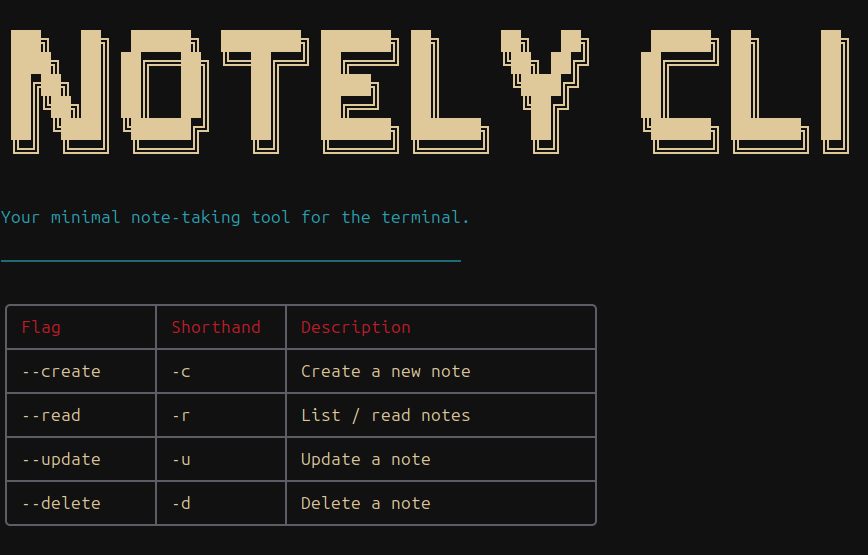
Alternatively, you can use notely-cli --help to quickly see the available flags and shorthands:
bash
Your minimal note-taking tool for the terminal.

  Usage
$ notely-cli

  Options
    --create, -c  Create a new note
    --update, -u  Update an existing note
    --delete, -d  Delete a note
    --read,   -r  Read/List notes

  Examples
$ notely-cli --create
$ notely-cli -c
See the following pages for detailed documentation on each command:
Storage & Limits
Local Storage
Notes are stored locally in a db.json file created in your current working directory.
Content Constraints
To keep your notes concise and terminal-friendly:
- Title limit: 50 characters
- Content limit: 300 characters